You're standing in the kitchen on Sunday night. The bin's full, the bathroom hasn't been cleaned in two weeks, and everyone in the house swears they did it last time. Nobody's lying, exactly. Nobody wrote it down.
That's how most shared homes fall apart. Not over one big argument, but over recurring jobs nobody scheduled, supplies nobody noticed were low, and a paper rota that died in week two. The scale of the work explains why memory fails. The Bureau of Labor Statistics 2024 American Time Use Survey found that 80% of people engaged in household activities on an average day, spending about 2 hours per day on them.
A good home organizer app fixes the record, not your motivation. It shows what's due, who owns it, and what's already done. The 10 options below are grouped by how homes run. Some are room-based cleaning tools for solo planners. Some suit couples and roommates splitting chores. Others are broader family logistics apps where chores sit beside calendars and shopping lists. Read the trade-offs before you download. The wrong fit gets deleted in a month.
Table of Contents
- 1. Benny
- 2. Sweepy
- 3. Tody
- 4. Nipto
- 5. Cozi
- 6. Homey
- 7. Chap
- 8. FamilyWall
- 9. It's a Family Thing!
- 10. OurHome by Elusios
- How the 10 home organizer apps compare on plans, sharing, rewards, and best use
- Matching a Home Organizer App to How Your Household Actually Runs
1. Benny
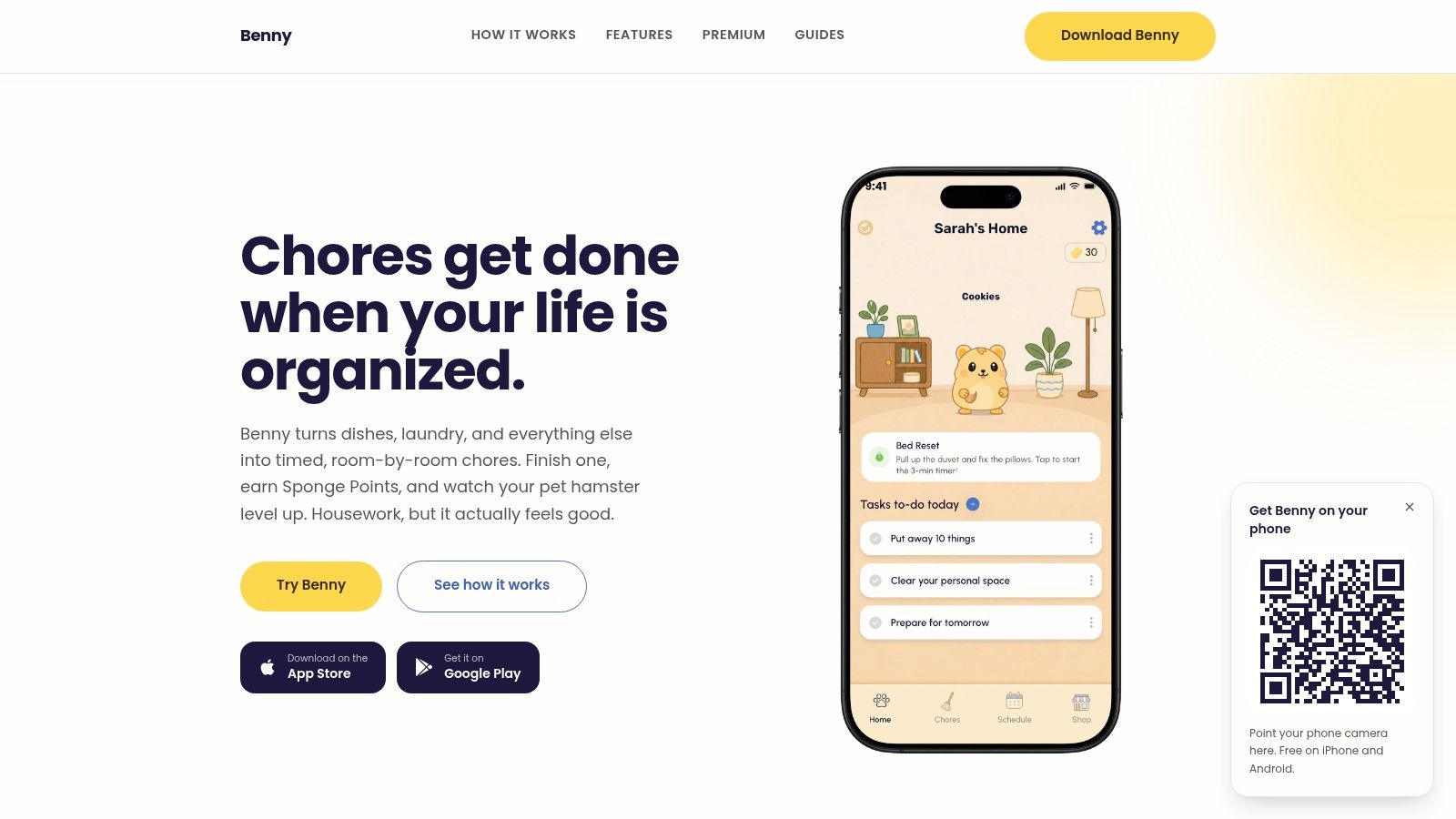
Benny builds your routine room by room on iPhone and Android. You pick a room, pull a chore from a preset list for the kitchen, bathroom, bedroom or living room, or write your own from scratch. Then you set a timer and choose whether it runs once or recurs on any interval you pick.
That timer matters more than it sounds. "Clean the bathroom" is vague and easy to postpone. A 15 minute timed chore is a defined block: you start it, work until it runs out, and tap finished. Broad jobs become work that fits a gap in your day.
How Shared Homes Use It
You create a shared home, invite the people you live with, and assign each chore to a specific person. Everyone sees the same list and schedule: what's due today, what's coming up, what's done, and what's still waiting. Sharing costs nothing, and it works even when household members carry different phones.
- Free core: Chore planning, recurring schedules, reminders, timers, and shared assignments sit outside the paywall.
- Sponge Points: Finished chores earn points that level up a virtual hamster and buy accessories in the in-app shop.
- Premium extras: Home-screen widgets, room and chore filters, holiday and sick modes, smart chores generated from a daily mood check-in, snoozing and skipping that protect your streaks, multiple homes, custom effort points, and no ads.
The limits are plain. The free version carries ads, and several routine controls sit behind Premium, so check the current subscription pricing in the App Store or Google Play before you commit. Subscriptions bill through the app stores, and deleting the app does not cancel one, so handle that in the store first. The hamster won't appeal to every household. I recommend Benny for roommates, couples, and families who want cleaning organized by room, with a playful reason to keep going.
2. Sweepy
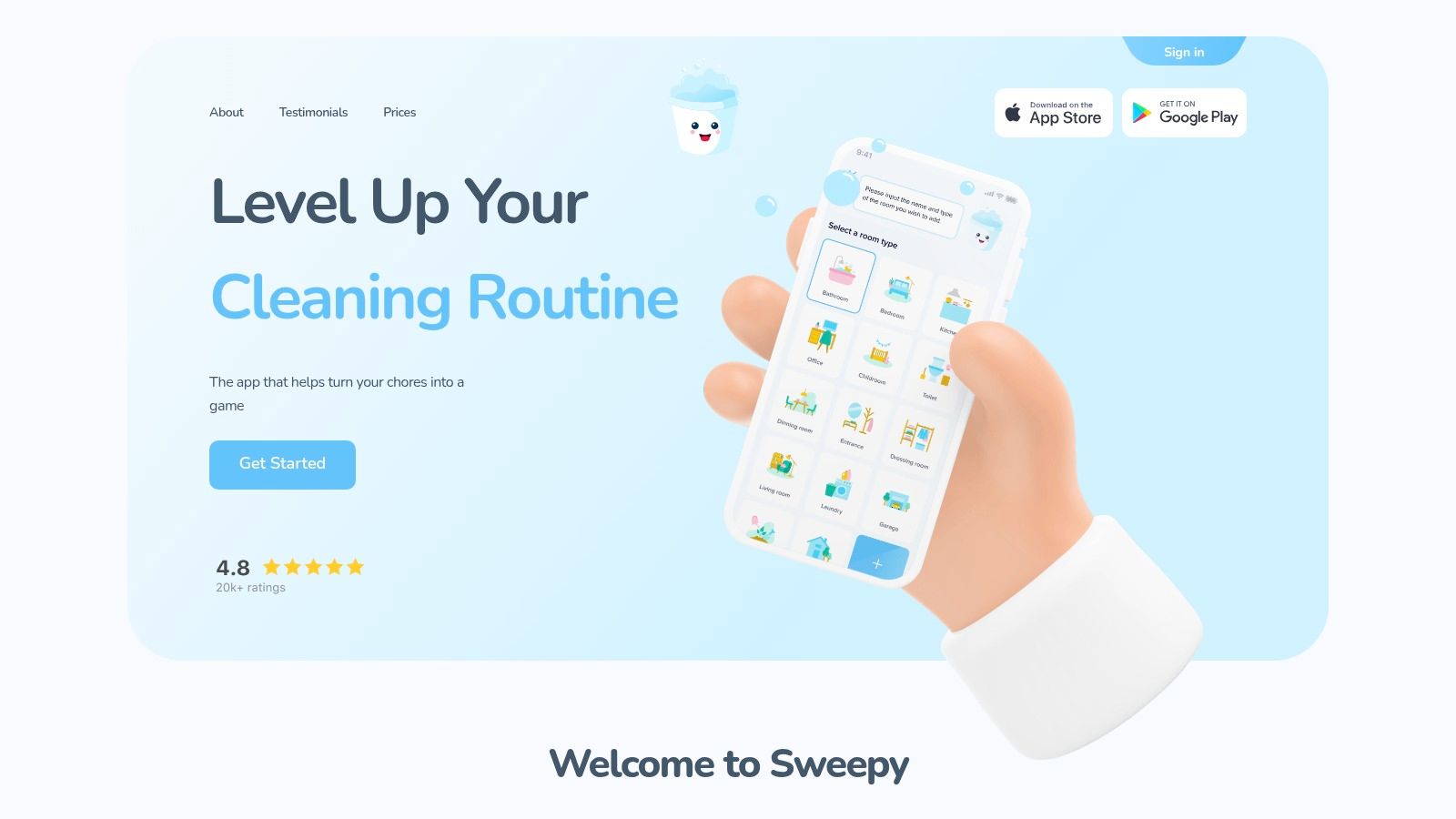
Sweepy answers a different question. Not "what's on today's list" but "which room needs attention most." It tracks how clean each area is and flags task urgency visually, so you can glance at the app and pick your next job without building a rigid schedule.
You get suggested chores plus custom ones. Difficulty and dirtiness filters help when you've got low energy or ten spare minutes. Pick something easy, do it, move on.
Where the Paywall Sits
The useful automation costs money. Premium Smart Schedule builds a daily cleaning list around the time your household has available. Without it, you're choosing tasks yourself. Shared household lists, a leaderboard, and child chore approval support group use, and our guide on how to split chores with roommates covers the fairness conversation you'll still need to have.
A visual dirtiness score beats a fixed rota when your weeks never look the same twice.
Points and a leaderboard motivate some households. They don't create the persistent virtual pet progression you'll find elsewhere. Sweepy also stays focused on cleaning. There's no calendar or shopping system here. I recommend it for solo planners and visual thinkers who want flexible cleaning, not a full family organizer.
3. Tody
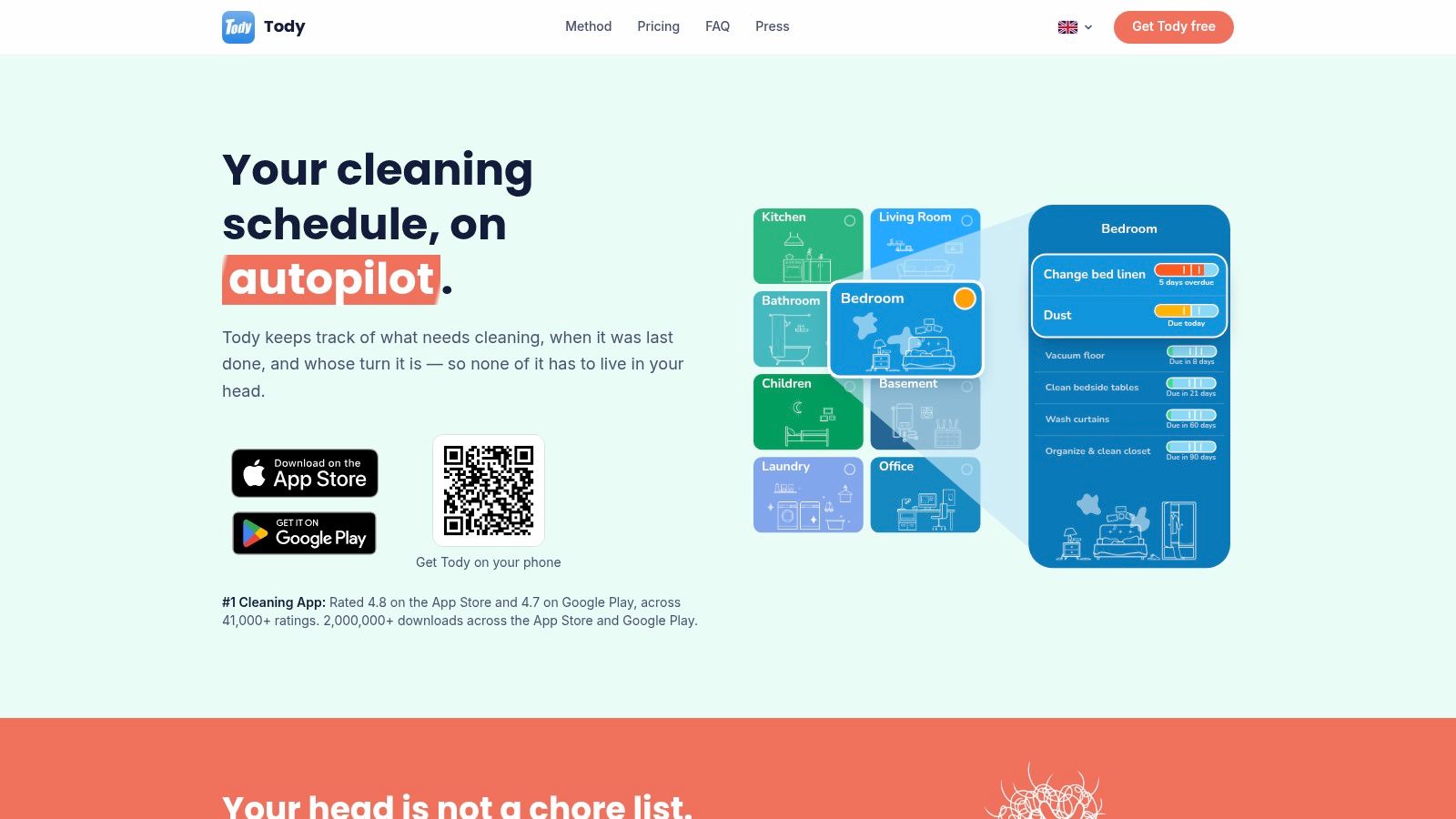
Fixed weekdays don't suit every chore. You don't need to descale the kettle every Tuesday. You need it done when it's due. Tody tracks time since a task was last completed against an interval you choose, then shows how overdue it's getting.
That model lowers pressure. Nothing is "late" because you missed Thursday. It drifts toward due. Dusty the mascot reacts to dirt levels, and a Focus Timer helps you work in short bursts. If you prefer date-based planning, compare that approach with a conventional chore schedule before you commit.
- Free plan: Ad-free, but built for one person only.
- Assignment options: Give chores to a person or rotate them automatically.
- Premium+: Adds household syncing plus FairShare contribution targets and reports.
The FairShare reports are the interesting part for couples. They show effort over time instead of relying on who feels busier. Pricing scales with household size, which is fairer than a flat fee for a pair. The downside is simple. Household syncing isn't free, rewards are light, and there's no calendar or shopping layer. Choose Tody if you live alone, or if your household will pay for a calm, interval-based cleaning routine.
4. Nipto
Competition works in some houses and starts fights in others. Nipto bets on competition. Members earn eggs for completed chores, race each week, build streaks, and chase rewards the household sets itself.
Under the game there's solid structure. You get recurring schedules, reminders, and automatic task rotation, so the same person doesn't get stuck with the toilet forever. Rotation matters in roommate houses where nobody wants to negotiate every week.
Built for Mixed Households
Nipto runs in a browser and on iPhone and Android, which helps when someone won't install another app. Managed child profiles don't require a child to have their own phone, a practical detail many family apps skip. Parents control the profile. Kids still get credit.
- Visible contributions: Eggs and weekly races show who's doing the work.
- One Premium purchase: It covers the whole household rather than charging per person.
- Premium extras: Widgets and smart-home features join unlimited planning.
The free plan allows five schedules, which a busy house will outgrow fast. Premium pricing appears during purchase rather than clearly on the website. And if you want a plain checklist, the race format will annoy you. I recommend Nipto for couples, roommates, and families who already know competition motivates them rather than resentment.
5. Cozi
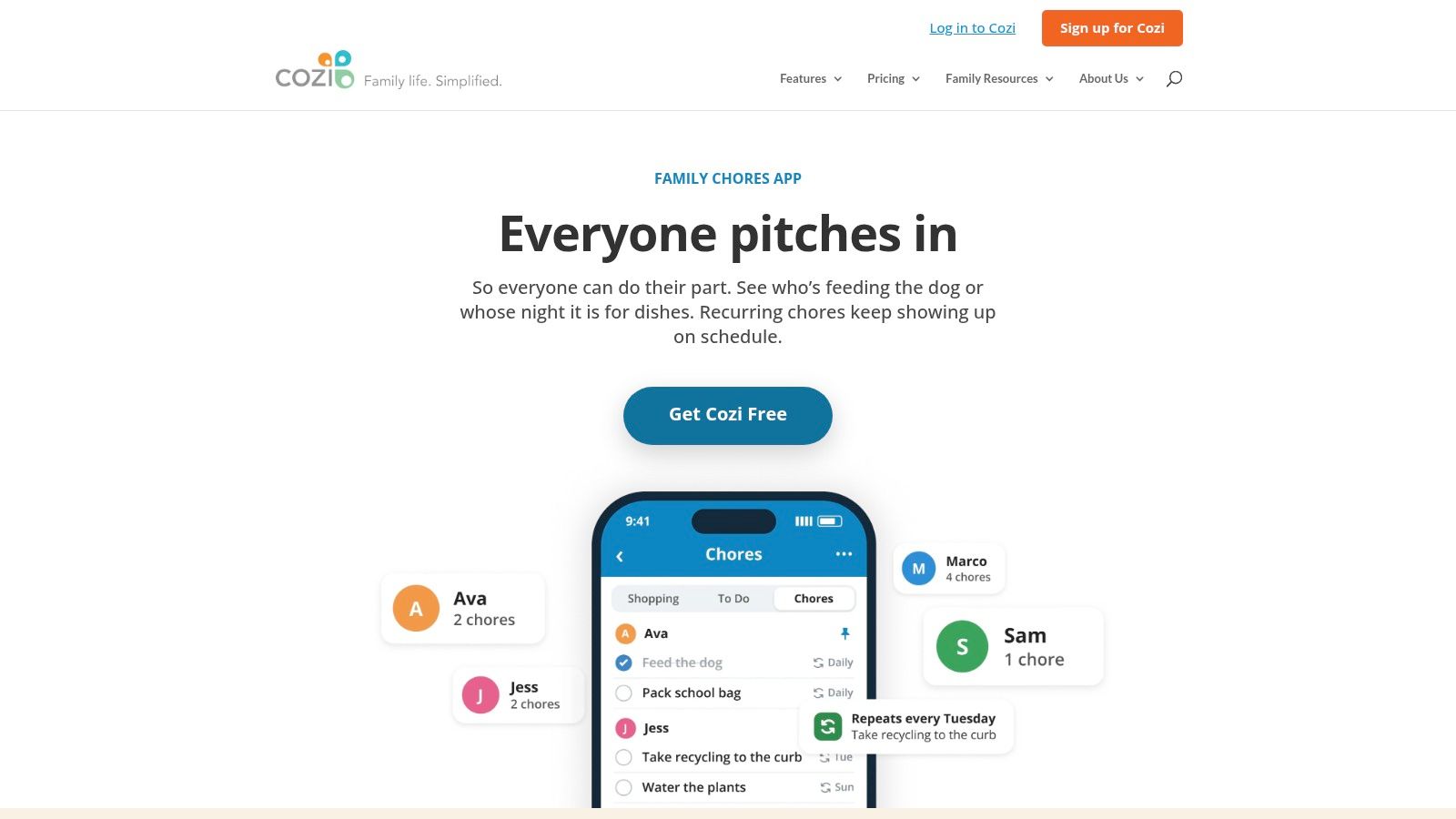
Cozi isn't a cleaning app. It's a family organizer where chores are one feature among a shared calendar, shopping lists, and to-dos. That distinction decides whether it fits you.
Each family member gets their own chore list. Chores repeat daily or weekly, and everyone can see everyone else's list. Setup is quick because the options are narrow. For many parents, narrow is fine. Kids' jobs usually are daily or weekly anyway.
The problem appears with real cleaning intervals. Monthly descaling, fortnightly deep cleans, and seasonal jobs don't fit a daily or weekly pattern. A dedicated system for shared chores handles those intervals better. Cozi also keeps chores in the mobile app only, not on the website, which limits anyone who plans at a desk.
On the plus side, chores are included free, and having them beside the family calendar means one less app to maintain. There's no room-based cleaning view and no game rewards. Kids who need motivation beyond a tick box won't get it here. Pick Cozi when your real problem is family logistics, school runs, appointments, groceries, and chores are a simple add-on rather than the main event.
6. Homey
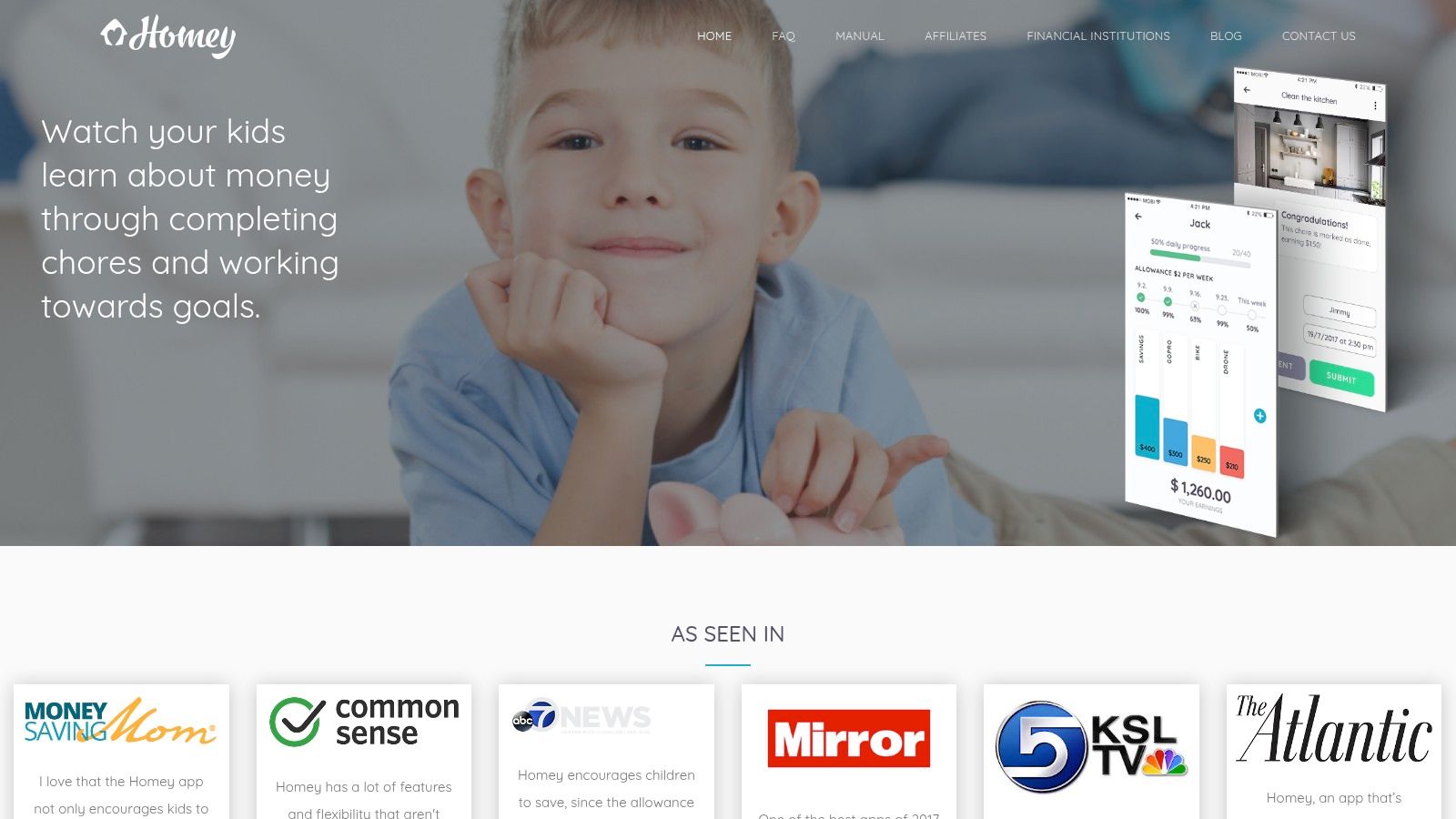
Pocket money changes the chore conversation. Homey ties chores to allowance and rewards, so finished work and payment sit in the same record. That ends the weekly audit of whether Saturday's vacuuming counted.
Tasks sync across family devices, notifications flag what is due, and everyone can see assignments and completions. You can attach photos of the actual mess to a task. It sounds gimmicky until "tidy" has to mean something to a nine year old. A photo sets the standard.
Who It Fits and Who It Doesn't
Basic use is free for small families. Larger households are more likely to reach the free tier's account limit, and current Premium costs are best checked in the app stores.
Homey is built for parents running a money-linked chore system. There is no room-by-room cleaning schedule, dirtiness model, or timed cleaning block, so couples and roommates without kids gain little from the allowance layer. I recommend it for families with children where pocket money already motivates chores, or where parents want that link. If cash is not part of the deal, choose a simpler tracker and skip the extra screens.
7. Chap
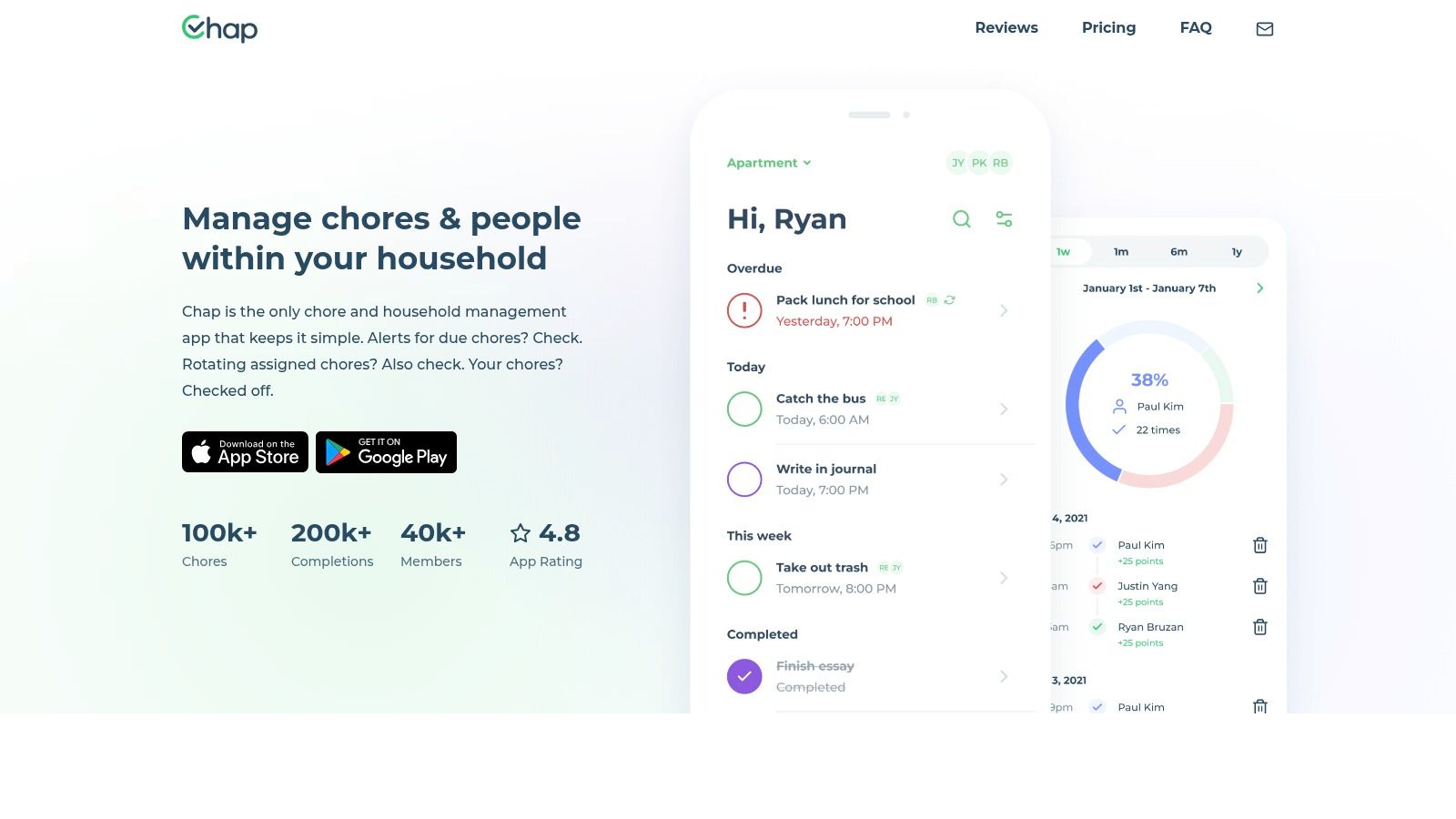
Some households don't need a system. They need a list that everyone can see. Chap keeps things deliberately plain. Add one-off or recurring chores, assign them or rotate them, set reminders, and check progress.
Two views do the heavy lifting. The calendar view shows what's coming. The analytics view shows household progress over time, which settles the "I do everything" debate with data instead of volume. Rewards and organization tools sit on top without turning the app into a game.
- Cost: The official site describes it as free to use.
- Flexibility: Works for personal tracking and shared households alike.
- Interface: The site highlights a simple, uncluttered design.
Now the caveats. Chap is less specialized in cleaning than Sweepy or Tody. There's no room-by-room dirtiness model. Some advanced features, including a schedule generator, are described as upcoming rather than available, so don't buy into a roadmap. Website testimonials also aren't independent proof of satisfaction. Treat them as marketing, here and everywhere. Choose Chap if you're a couple or small group of roommates who want assigned, rotating chores with reminders, and nothing heavier.
8. FamilyWall
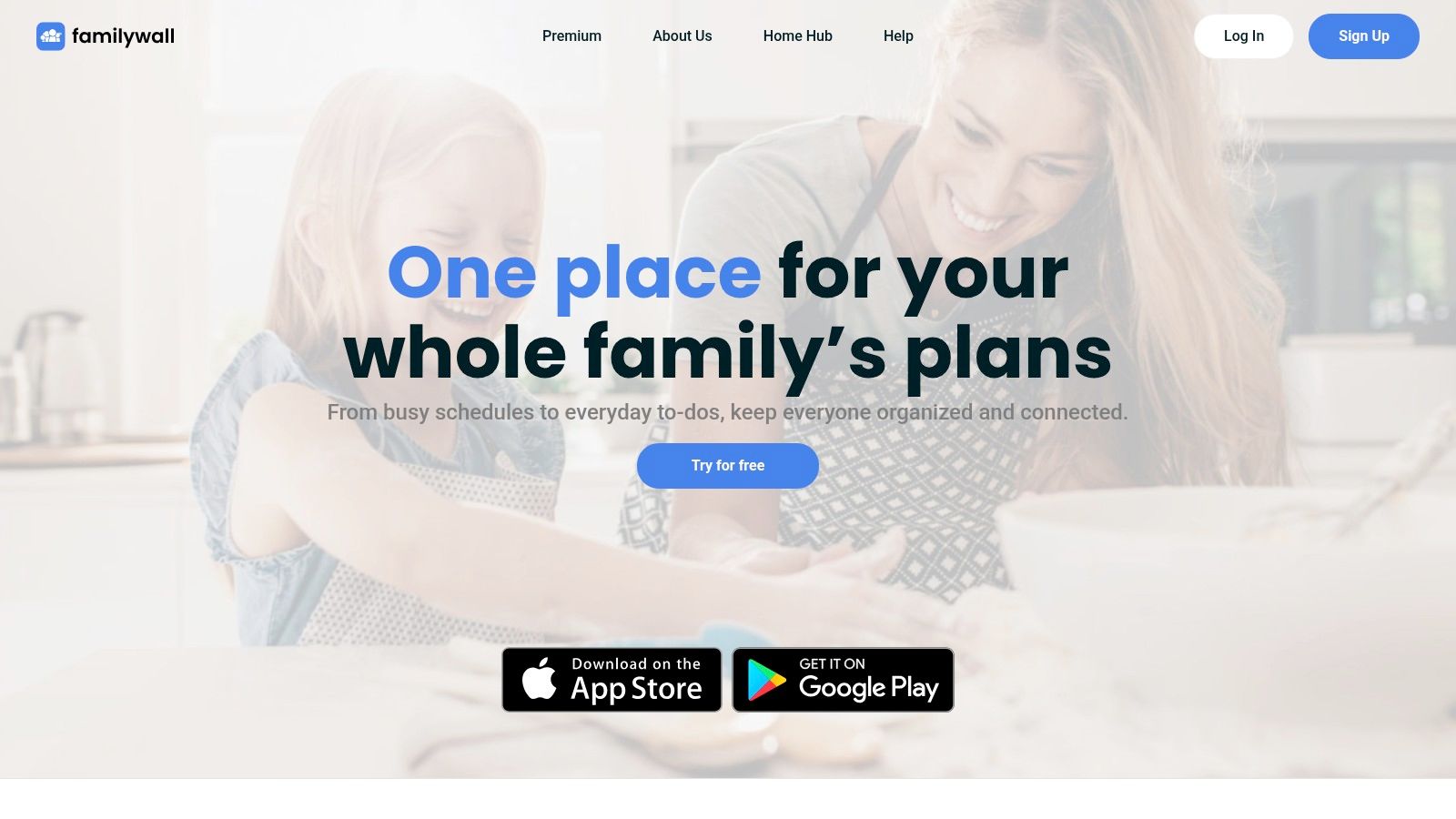
FamilyWall treats a chore as a to-do with a name and a due date. That's its strength and its ceiling. Assign the task, set the date, add a reminder, done. Anyone who's used a task list already knows how it works.
Around that sits real family infrastructure. There's a shared calendar, grocery lists, and meal planning, across iPhone, Android, and desktop. Desktop access matters for parents planning the week at a computer. Chores stay visible beside school events and shopping, which reduces app switching.
Practical rule: If your household pain is scheduling, buy logistics. If it's cleaning, buy a cleaning tool.
The catch is recurrence. Recurring tasks require Premium, and recurring tasks are the entire point of chore management. Budget for the paid tier from day one. There's also no room-based cleaning structure, no chore timers, and no gamified rewards for reluctant kids. Core features are free, so you can test the calendar and lists before paying. I recommend FamilyWall for families whose real problem is coordinating people, meals, and errands, with chores as one list among several.
9. It's a Family Thing!
Structure is the product here. It's a Family Thing! runs on the S'moresUp platform and bundles chores, routines, reminders, approvals, and rewards into one parent-controlled system. Children earn S'mores for completed work. Badges and progress tracking show how they're doing over time.
Approval tools separate it from lighter apps. On a higher-tier plan, parents can require photo proof before a chore counts as done. That's useful for teaching standards to younger kids. It's overkill for teenagers, and it would poison a roommate house instantly.
Price and Complexity
Multiple paid tiers offer different levels of scheduling and oversight, plus a family calendar. But pricing is substantially higher than most chore-only apps. You're paying for a family management suite. Make sure you'll use the routines and approvals before subscribing.
The breadth creates friction, too. Couples and roommates will find child-focused structure they don't need. There's also little emphasis on detailed room-by-room cleaning for the home itself. This app manages children's responsibilities more than it manages dirt. Pick it if you're a parent who wants routines, rewards, and verification in one place, and you're comfortable paying suite prices for that control.
10. OurHome by Elusios
Check the developer before you download. OurHome by Elusios is the current app from Elusios, and it is distinct from an older app with the same name. That matters before you pay for anything.
The pitch is balanced for shared households. Tasks are organized by room, members join a shared home by invitation, chores can be assigned and repeat, and a shared shopping list and calendar sit in the same place. Roommates who argue about bathroom duty and who is buying milk get both problems in one app. Couples can split errands without adding a separate list tool.
It runs on iPhone and Android with a free plan and paid Premium features. The free and Premium split is not laid out clearly, so compare the feature lists on the App Store or Google Play listing, then test the free tier to see where the paywall starts.
The limits are real. There is no dedicated cleaning scheduler logic, no dirtiness tracking, and no gamified reward loop. I recommend it for roommates and couples who want room-based tasks plus everyday lists; families chasing rewards and solo cleaners wanting structure should look elsewhere.
How the 10 home organizer apps compare on plans, sharing, rewards, and best use
The main distinction in this list is chore-first tools versus family-logistics apps that also track chores. Read the table through that lens before comparing prices.
| Item | Free Plan | Shared Homes | Rewards | Best For |
|---|---|---|---|---|
| Benny (recommended) | Free chore planning, reminders, timers, and shared assignments | Shared chores across iPhone and Android | Sponge Points, hamster levels, and accessories | Room-by-room chores with playful rewards |
| Sweepy | Free tier; Smart Schedule requires Premium | Shared lists, leaderboard, and child chore approval | Points and leaderboard | Visual cleaning plans and household participation |
| Tody | Free, ad-free personal use; household syncing requires Premium+ | Household syncing and FairShare features are Premium+ | Dusty mascot and Focus Timer | Flexible, low-pressure cleaning routines |
| Nipto | Free plan allows five schedules; unlimited planning requires Premium | Shared chores, task rotation, and child profiles | Eggs, weekly races, streaks, and family-set rewards | Households motivated by friendly competition |
| Cozi | Chores are included in the free plan | Individual chore lists with a shared family view | No prominent chore rewards | Chores alongside family calendars and shopping lists |
| Homey | Free basic use for up to three accounts | Shared tasks and notifications across family devices | Allowance and rewards tracking | Families coordinating chores and allowance |
| Chap | Official site describes it as free to use | Supports personal tracking and shared households | Rewards and chore organization tools | Simple shared chore tracking |
| FamilyWall | Core features are free; recurring tasks require Premium | Shared to-dos with assignees, due dates, and reminders | No prominent chore rewards | Chores alongside broader family planning |
| It's a Family Thing! | Multiple paid tiers covering the full routine and reward feature set | Family routines, reminders, and approvals | Rewards, badges, and progress tracking | Families seeking structured routines and rewards |
| OurHome by Elusios | Free plan with paid Premium features | Shared, room-organized tasks and recurring chores | No prominent gamified rewards | Shared homes wanting room-based tasks, lists, and a calendar |
Six of these (Benny, Sweepy, Tody, Nipto, Chap, OurHome) organize work around recurring room-based cleaning, and most attach points or streaks to keep it moving. The other four treat chores as one list beside calendars, shopping, and approvals, which suits families whose bottleneck is logistics rather than cleaning itself. Solo planners and couples should weigh how much of the paywall gates sharing. Families with children should check the approval and allowance columns first.
Matching a Home Organizer App to How Your Household Actually Runs
Start with your actual failure mode. If chores get forgotten, you need recurring schedules and reminders you control. Reminder design isn't cosmetic. In a controlled study of a task-reminder application, participants strongly valued personalizing notification timing, and a fixed 5-hour schedule produced the highest anxiety, anger, and discomfort. So look for timing windows, quiet hours, and bundled digests. An app that nags everyone identically gets muted, then deleted.
If responsibilities feel uneven, visibility is the fix. Pew Research Center reported that 71% of mothers in households with children said they primarily handled both meal preparation and grocery shopping, compared with roughly 11% of fathers. Feelings about fairness don't match time records. Shared assignments and completion history give your household facts to work with instead of impressions.
Go one level deeper, though. Most apps track execution and ignore the mental load, the noticing, deciding, and following up. Research from the University of Bath found mothers held an average of 13.72 mental household tasks compared with 8.2 for fathers. If one person still plans everything inside the app, you've digitized the imbalance. Rotate who reviews the schedule and who adds the one-off jobs.
Setup friction kills adoption, too. In a qualitative user-experience substudy with 22 participants, users asked for smoother activation without switching between app and email, plus configurable reminders. Apply that test at home. Can everyone join, see their chores, and set their reminders in one sitting? If a roommate stalls at signup, the system is already broken.
Finally, think about privacy before you share. A shared record exposes routines, absences, and children's tasks. Research into smart-home privacy policies covering 2,442 device policies found 43.52% did not explicitly explain how device data was handled. Accountability shouldn't become surveillance. Know what members can see, and what happens to someone's data when they move out.
Match the category to your home. Solo planners do well with Sweepy or Tody. Couples and roommates need rotation and visible contributions, so look at Nipto, Chap, or a room-based shared system. Families split two ways. Allowance and approvals point to Homey or It's a Family Thing. Calendars, meals, and lists point to Cozi or FamilyWall. Then run one free plan for two weeks with everyone in the home. Check whether tasks get done, not whether the app looks nice. Upgrade only when a paywalled feature solves a problem you've already hit.
If your home needs cleaning organized room by room, with recurring schedules, reminders, timers, and shared assignments that stay free across iPhone and Android, Benny is built for exactly that. Set up your shared home today, assign the first week of chores, and let Sponge Points and a very motivated hamster keep everyone honest.