The chart is on the fridge again, and it's wrong again. Someone reprinted the week on Sunday night with the names in the same order as last time, and by Wednesday nobody's sure whether the bathroom was done or just claimed. So the sheet goes back to the printer and the cycle restarts.
A chore chart generator can mean three very different things. It can be a one-page printout you fill in and tape up, a reward sheet built for a seven-year-old with stickers and points, or a live shared schedule with due dates and reminders that follow everyone's phone. All three get called the same name, and they solve different problems. The stakes aren't tiny either. The UN's World's Women 2020 report found women worldwide spent an average of 4.2 hours a day on unpaid domestic and care work, against 1.7 hours for men.
Choose by your household, not by the feature list. If the same three people do the same chores every week and nobody argues, a printable grid is enough. If assignments rotate or people travel, you need something that changes with the week. If the chart keeps dying because nobody remembers to look at it, paper won't fix that.
Below, the tools are sorted by how the finished chart gets used. Printed page, child reward system, or live shared schedule.
Table of Contents
- 1. Benny
- 2. Chore Chart Maker
- 3. Chore Chart Builder
- 4. Kids Chores Chart
- 5. ChoreChart
- 6. ChoreChartLab
- 7. Pocket Piggy Chore Chart Maker
- 8. PaperByMe Chore Chart
- 9. Dragonlock Chore Chart Maker
- 10. Organized Mom Collective Picture Chore Chart
- How These Chore Chart Generators Differ
- Pick a Chart You Will Keep Using
1. Benny
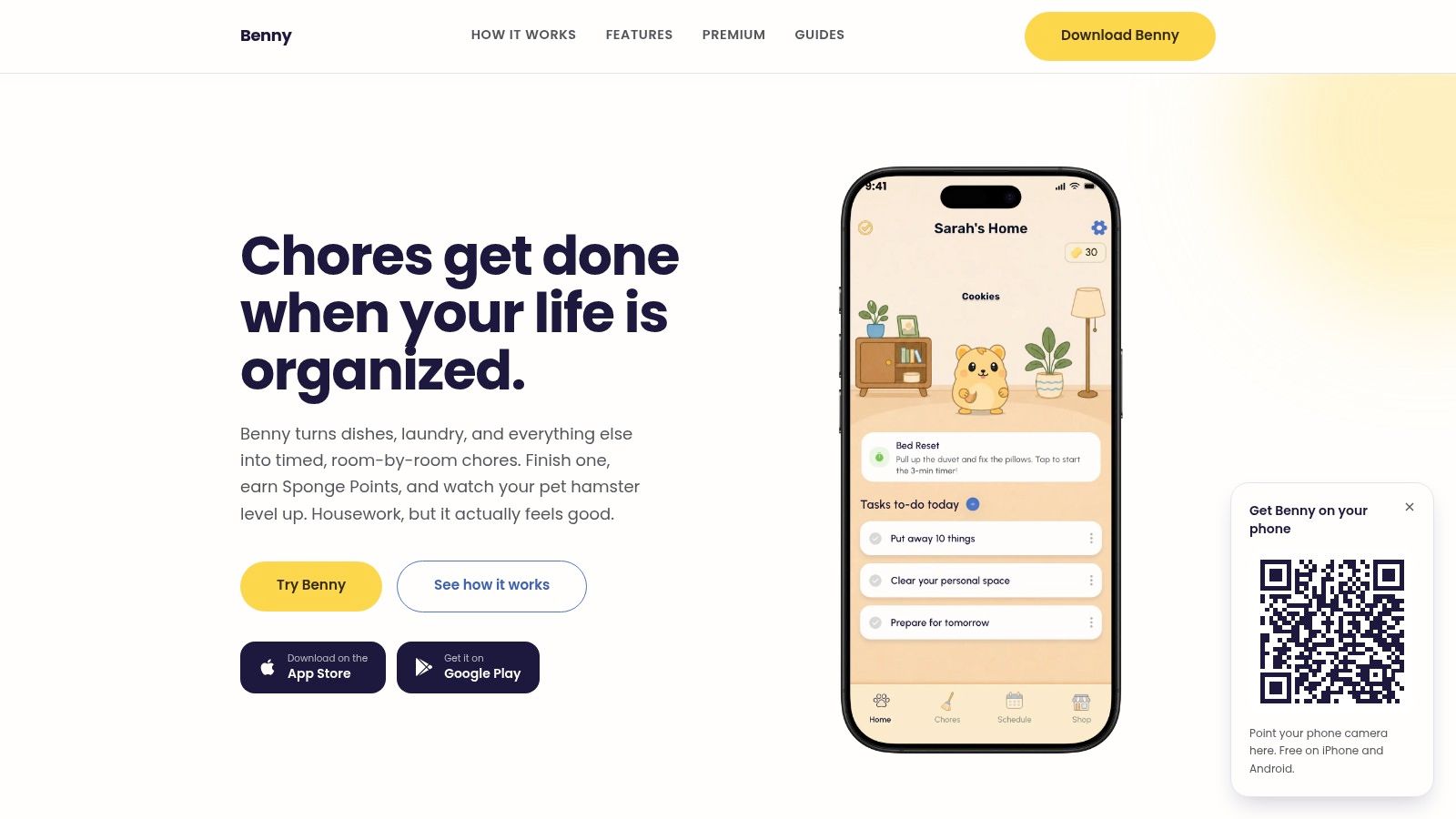
Benny is the pick when the chart has to live on everyone's phone and stay current. It's an iPhone and Android app that organizes chores by room, with preset lists for the kitchen, bathroom, bedroom and living room plus your own chores named from scratch. Every chore can carry a timer, so "clean the bathroom" becomes a 15-minute job with a start and a finish instead of an open-ended demand.
The workload it targets is measurable. OECD time-use data summarized in its 2021 report found adults in member countries spent an average of 116 minutes a day on unpaid household work, with an 86-minute daily gap between women (about 158 minutes) and men (about 72).
Scheduling that maintains itself
Recurring chores come back on the schedule by themselves, one-off jobs sit on a future date, and the schedule shows what's due today and what's coming up next. Reminders fire when a chore is due. In a shared home, everyone sees the same list, the same assignments, and what's done versus still waiting, on both platforms. Content inside a shared home, including chore names, schedules and completion activity, is visible to the other members.
The game layer is Sponge Points. Finish a chore before its timer runs out and you earn points that level up a virtual hamster and earn accessories. It's a small, silly incentive that works on the same principle as a sticker chart, without the stickers.
Premium is optional and adds home-screen widgets, room and chore filters, snoozing and skipping that protect streaks, holiday and sick modes, mood-based chore suggestions, multiple-home management, custom effort points, and no ads. Subscriptions bill through the App Store or Google Play.
Pros
- Free essentials: schedule, reminders, timers, and shared assignments cost nothing.
- Room presets turn vague cleaning jobs into scoped, timed tasks.
- Cross-platform: iPhone and Android users share one list and one record.
Cons
- Ads on the free tier, with Premium as an optional subscription.
- Hamster rewards won't motivate every adult in the house.
- Advanced controls like widgets and multiple homes sit behind Premium.
Visit Benny.
2. Chore Chart Maker
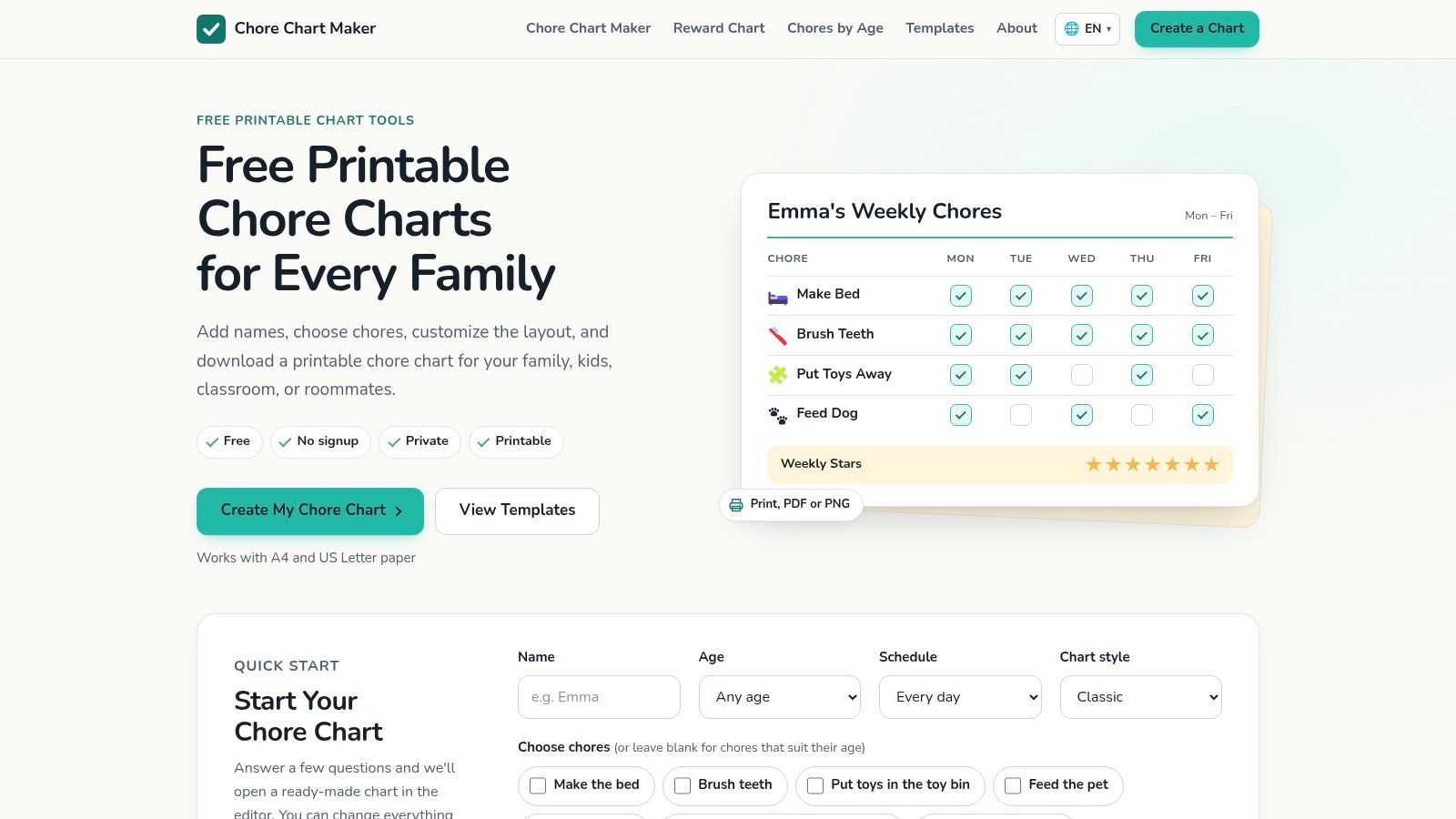
Chore Chart Maker is the one I'd open first if you want paper and nothing else. It runs in the browser, takes up to eight people, and prints or downloads as PDF or PNG without an account. Layouts cover a family grid, individual charts, and roommate rotation.
The rotation option matters more than it looks. Ireland's Central Statistics Office survey of couples found 65% of female respondents in opposite-sex couples said they were mostly responsible for household chores, against 9% of male respondents. Among couples where both partners worked full time, women still reported primary responsibility at 42%, versus 6% of men, and only 42% of respondents living with a partner described the split as balanced. A rotation column is a start. It isn't a record.
Pros
- No signup, no upload: names and tasks stay in the browser, according to the site.
- Paper sizes: US Letter and A4, portrait or horizontal.
- Suggested picture chores for ages 2 to 14, plus custom tasks.
Cons
- Static output: no reminders, no shared completion status.
- Weekly rebuild: you reprint whenever the week changes.
If rotation is the true sticking point in your house, work through how to split chores with roommates before you print anything.
Visit Chore Chart Maker.
3. Chore Chart Builder
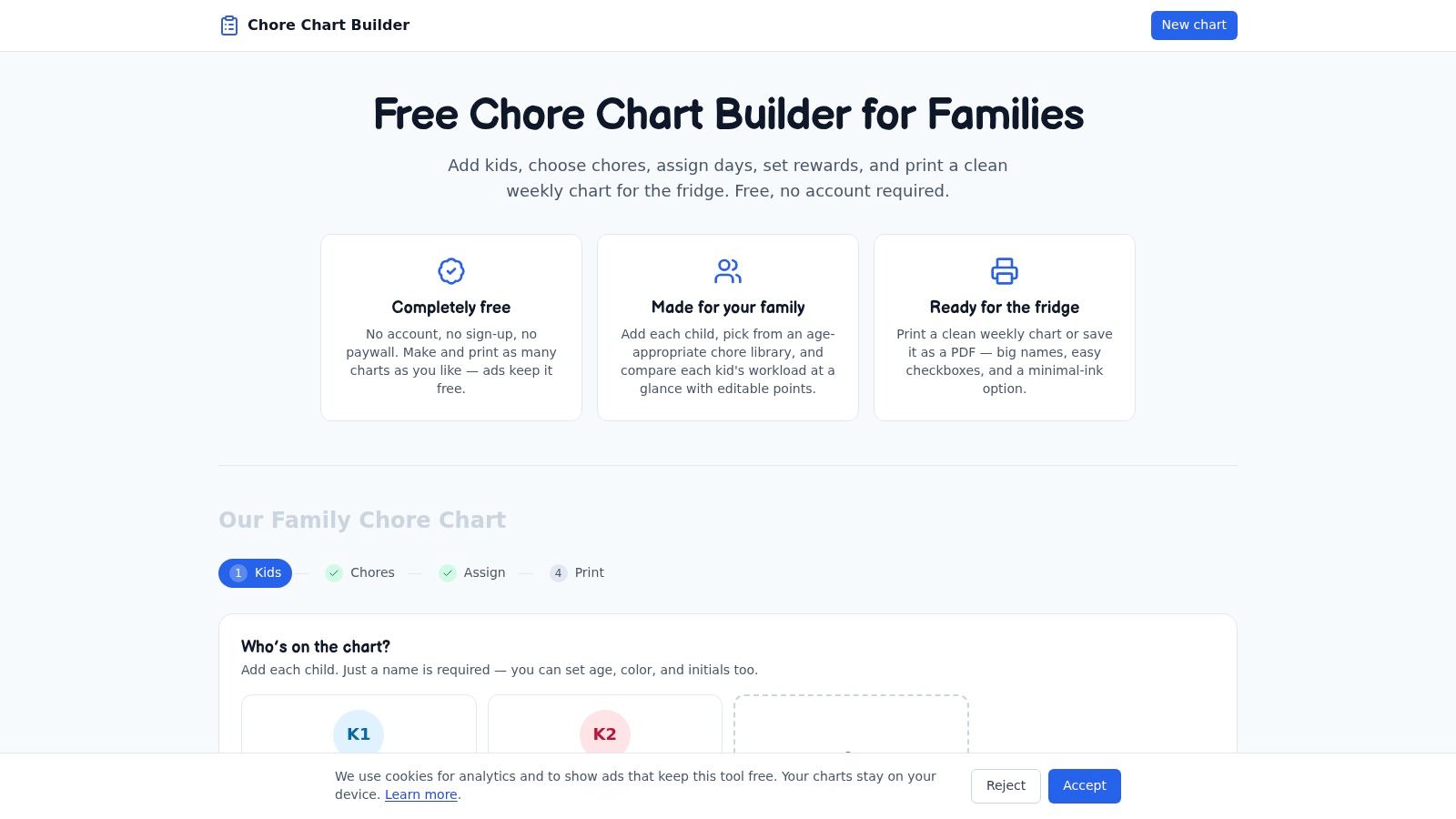
A child earning points for making their bed needs a chart that tracks the points alongside the chores. Chore Chart Builder is built around that reward loop. You add children, pick from a built-in library of chores or write your own, assign people to days, and set reward values. Charts print or save as PDF, and a minimal-ink option keeps cartridge costs down.
Points alone won't hold the habit
Reward design sinks most family charts. In one Journal of Applied Behavior Analysis study, two participants completed 47% and 54% of assigned chores at baseline. A bonus condition lifted completion to 87% and 68%, and a switch to points only dropped it to 59% and 45%. A number on a page is a weak motivator next to a bonus a child can earn. Pair the points with something real, like a Friday privilege, and write that deal on the chart.
One practical limit: saved charts live in the browser. If the family checks progress from more than one device, keep the running point total somewhere you trust.
Pros
- Free with no signup, per the site, and no printing charge.
- Day-by-day assignment makes the week visible at a glance.
- Reward fields sit next to the chores they pay out on.
Cons
- Child-focused, not built for adult households or roommate splits.
- Browser-local saving won't follow you to another device.
- Ad-supported, according to the site.
Visit Chore Chart Builder.
4. Kids Chores Chart
Kids Chores Chart suits the printout use case: one young child, one fridge door, one sheet they helped design. You pick an age band for suggestions, add your own tasks, choose a theme, add a photo if you want one, preview the design live, then download or print.
That preview is the reason to use it. Many printable tools make you guess whether a long chore name will fit the box. Here you see the layout before ink goes down, which saves a sheet and a small argument.
Pros
- Personal: child photo and colorful themes make the chart feel like theirs.
- Live preview before printing.
- Phone-friendly, per the site, with A4 PDF and PNG output listed.
Cons
- Child-only scope: little use for roommates or adult routines.
- Free tier limits: some exports may sit behind a paid plan, so check before you build the chart.
A chart a child picks the theme for gets looked at. A chart that looks like a form gets ignored by week two.
Paper can start the routine, but it cannot bring the job back next week. A recurring chore schedule does that part by putting the task on the calendar again without rebuilding the chart.
Visit Kids Chores Chart.
5. ChoreChart
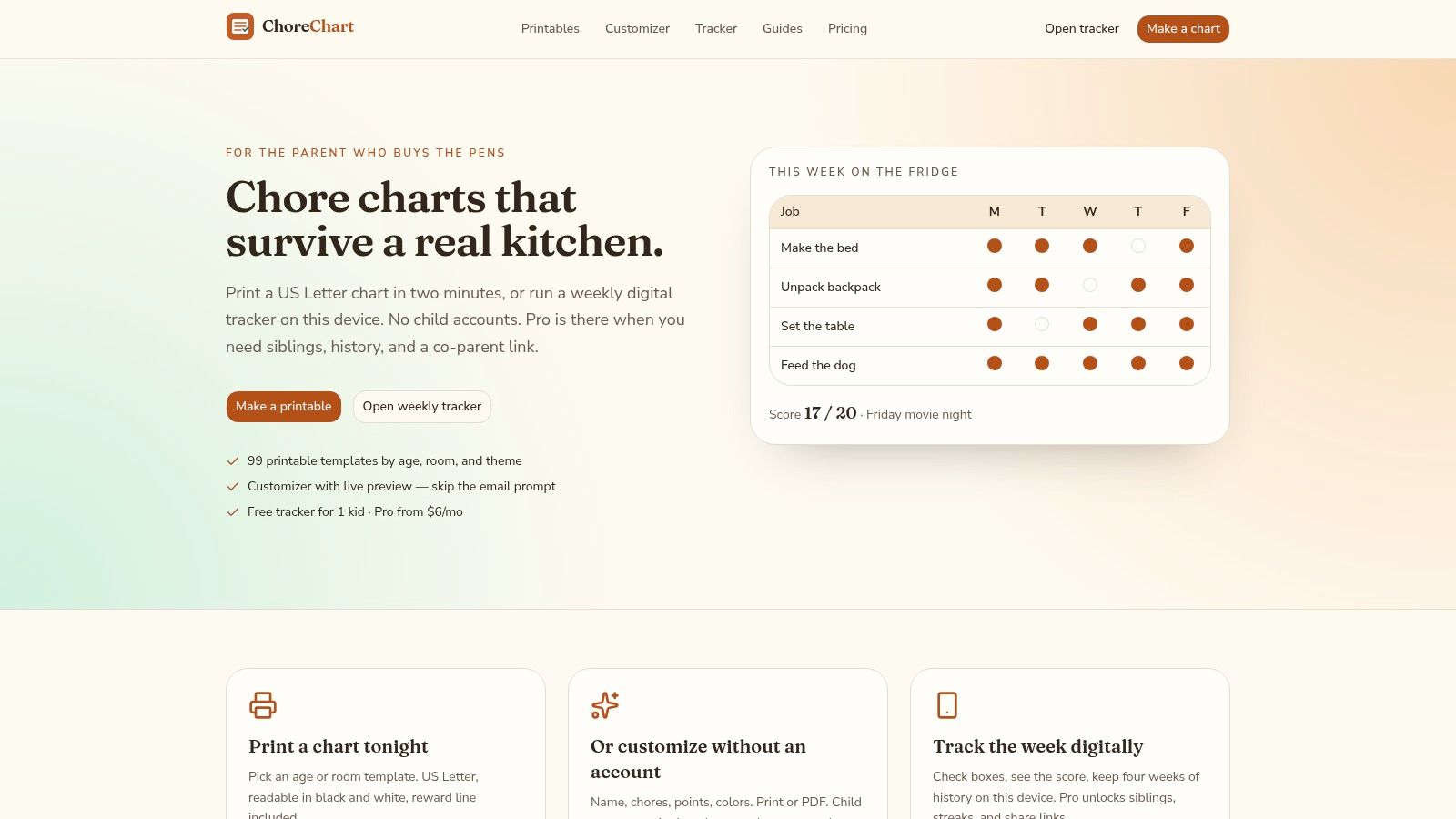
ChoreChart is a template library rather than a single form. Layouts are organized by age, room, and theme, and they cover weekly grids, checklists, picture rows, and morning-and-night routine charts. You can rewrite chores, swap layouts, and pick a reward style: stars, points, stickers, privileges, or allowance.
That variety earns it a place with children of different ages, where a five-year-old needs pictures and a ten-year-old wants a checkbox. Rewards differ by child too. One wants the sticker, one wants the money.
Pros
- Layout range well beyond a basic weekly grid.
- Starting points: age- and room-based templates to work from.
- No account needed for printable customization.
Cons
- Free tracker is limited to one child, according to the site.
- Pro pricing and inclusions need checking on the site before you commit.
- Family-oriented rather than built for adult households.
Practical rule: match the reward to the child, not to the chart. A points system nobody cares about is just a column you fill in.
In a shared home, what these printables lack is a common record of shared chores both people can see. Paper shows the plan. It doesn't show who did the work.
Visit ChoreChart.
6. ChoreChartLab
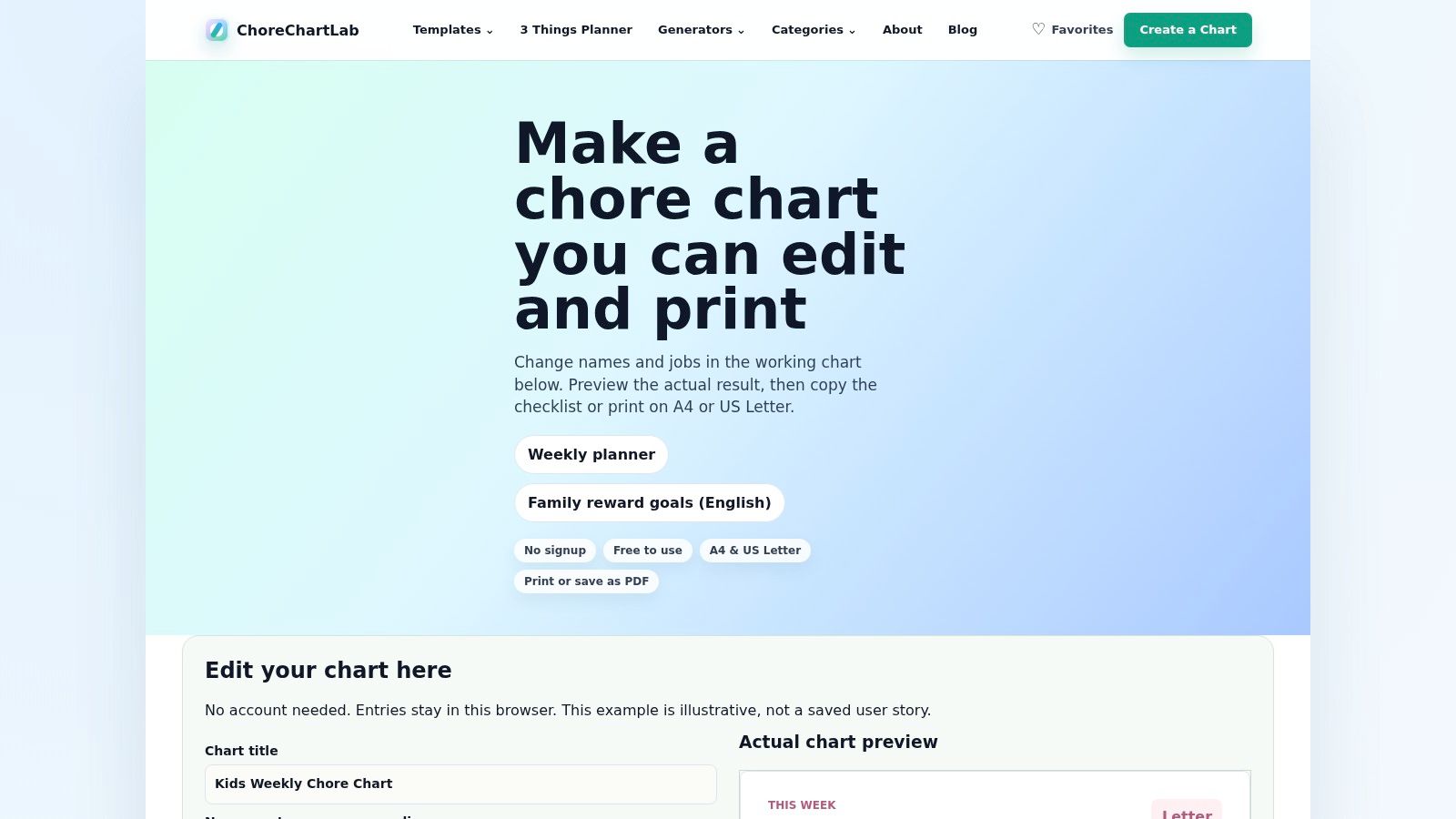
ChoreChartLab is the control panel of the group. Titles, names, tasks, dates, and print settings are all editable before you preview and print or save as PDF. Starter chores and age-based samples fill the blanks if you don't want to write from zero.
The print settings are more practical than they sound. Ink-friendly, black-and-white, large-text, and compact modes mean the same chart can go on the fridge in color or into a school bag as a small black-and-white checklist. Large text helps a child still sounding out words. Compact mode fits more chores on one page.
Pros
- Deep editing on every field, including titles and dates.
- Print controls for ink, contrast, text size, and density.
- No signup for the core generator, per the site.
Cons
- More settings than a preset template, which slows the first attempt.
- Drafts live in the browser and vanish if storage is cleared.
- No reminders or shared completion.
This fits one specific job: building a chart you print once and reuse, like a term-time routine or a school holiday list.
Visit ChoreChartLab.
7. Pocket Piggy Chore Chart Maker
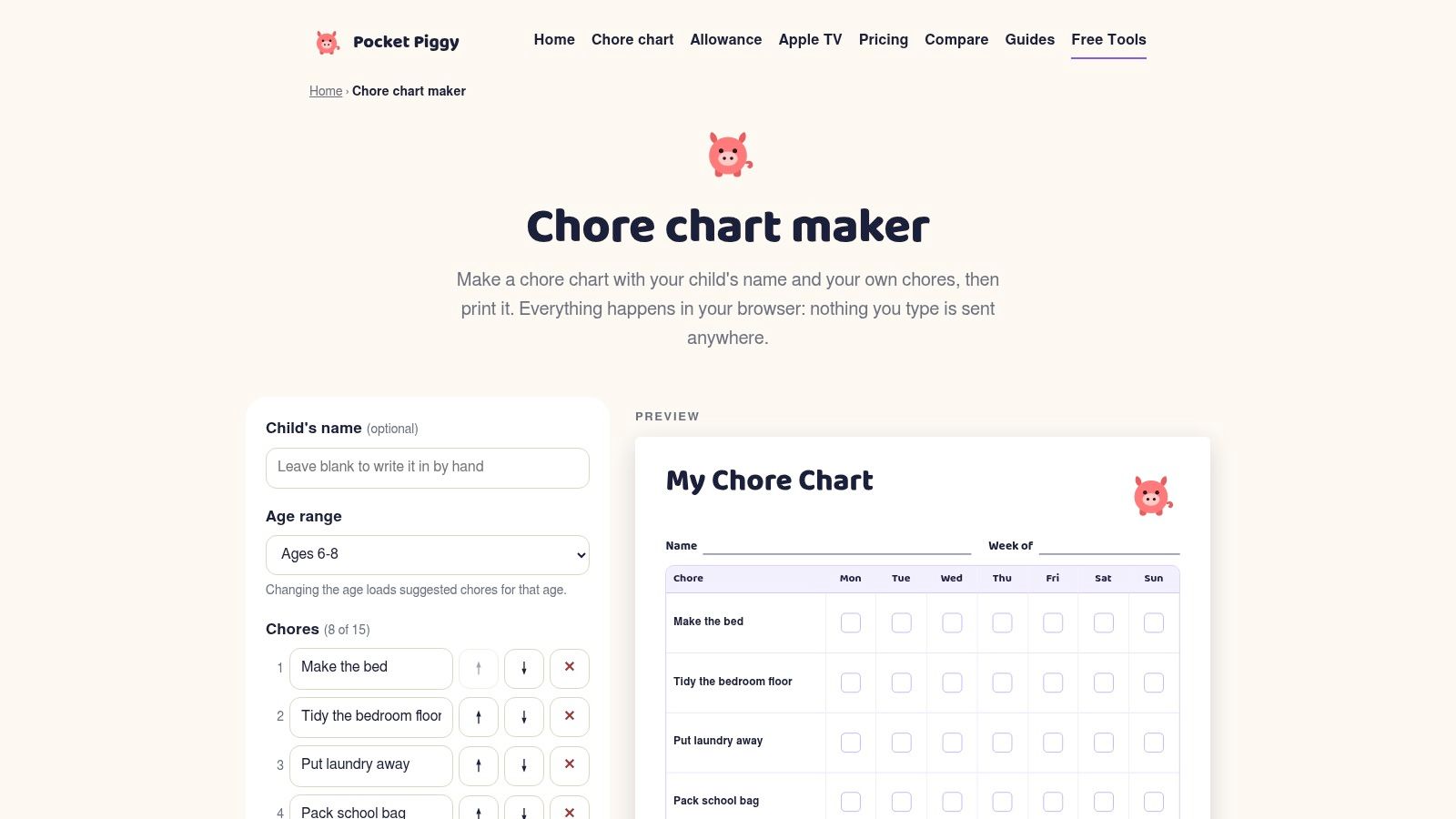
Pocket Piggy's generator is the fastest route from nothing to a printed chart. Enter a child's name, pick an age range, edit the suggested chores, choose weekly or monthly, and print on US Letter or A4. It remembers the last chart on the device.
The monthly layout is the reason to pick it. A weekly grid suits the school week, where laundry and bins land on fixed days. A month-at-a-glance chart suits jobs that don't need a weekday slot, like sorting a toy box or wiping baseboards.
Split by room, not by person, when the list gets long. One page per room beats one crowded page per child.
Pros
- Quick setup with age-based suggestions you can overwrite.
- Monthly option, which most printable generators skip.
- Local storage of your last chart, per the site.
Cons
- Caps at 15 chores per page, according to the tool.
- Child-focused, not designed for shared adult households.
- No syncing or reminders.
Visit Pocket Piggy Chore Chart Maker.
8. PaperByMe Chore Chart
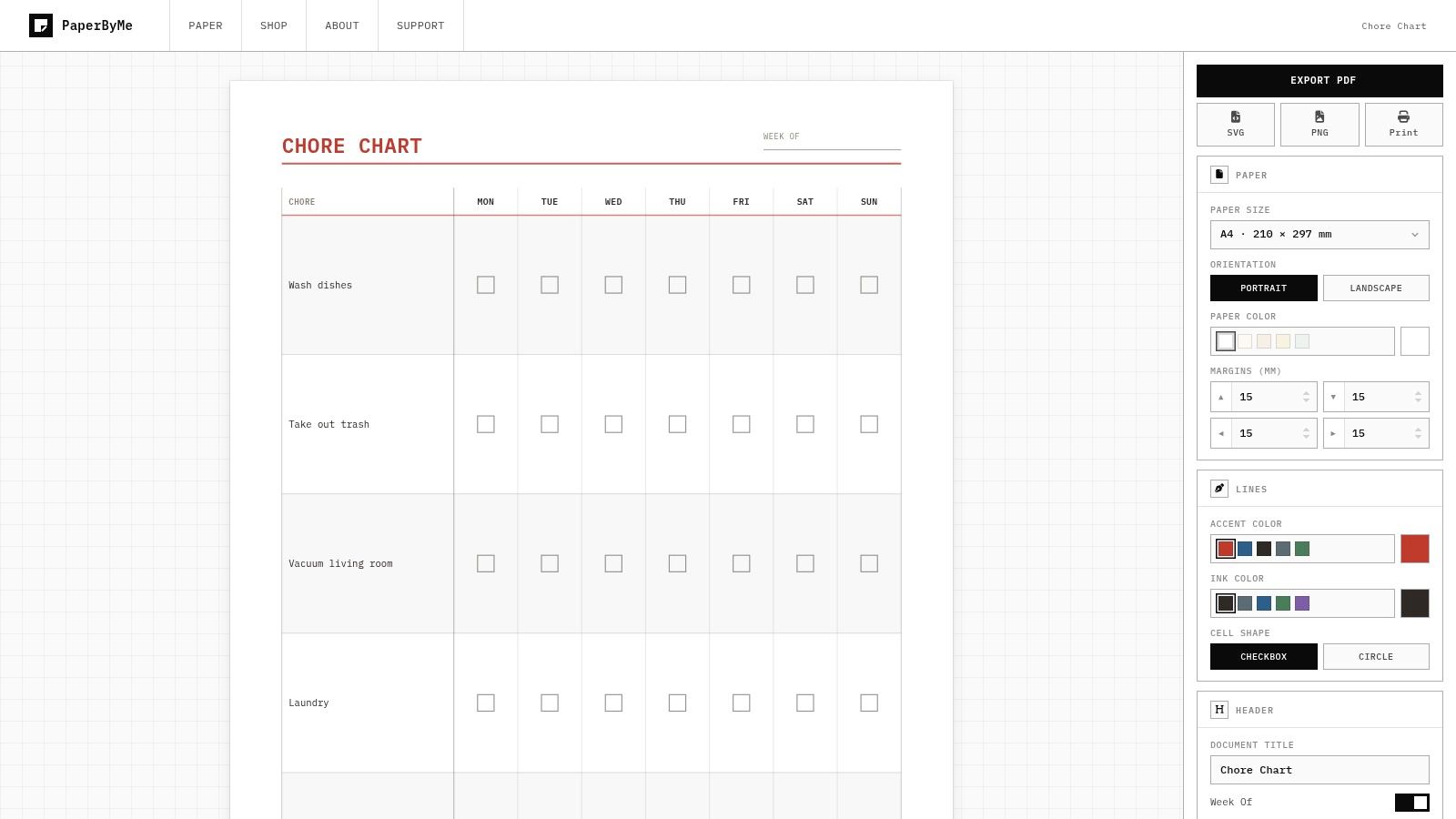
PaperByMe is for the person who cares how the printed page looks. Columns can represent weekdays or family members, chores and names are editable, and paper size, orientation, margins, and colors are all adjustable. It exports as PDF, SVG, or PNG.
Flipping columns from days to people is a small control with a large effect. It shows a whole week's load per person on one page, which is the only view that exposes an unfair split before anyone argues about it.
Naming a task isn't owning it
A column header with a name on it doesn't transfer the work of noticing. The University of Bath's summary of U.S. research on the mental load reports that mothers manage 71% of household tasks requiring mental effort, against 45% for fathers, and 79% against 37% on routine cleaning and childcare. A chart that assigns the scrubbing but not the scheduling leaves the harder half with whoever built the chart.
Pros
- Layout control down to margins and palette.
- Family-member columns for comparing loads side by side.
- Three export formats for print, edit, or reuse.
Cons
- Little chore guidance compared with age-based tools.
- Slow to configure the first time you use it.
- Static output with no tracking.
Visit PaperByMe Chore Chart.
9. Dragonlock Chore Chart Maker
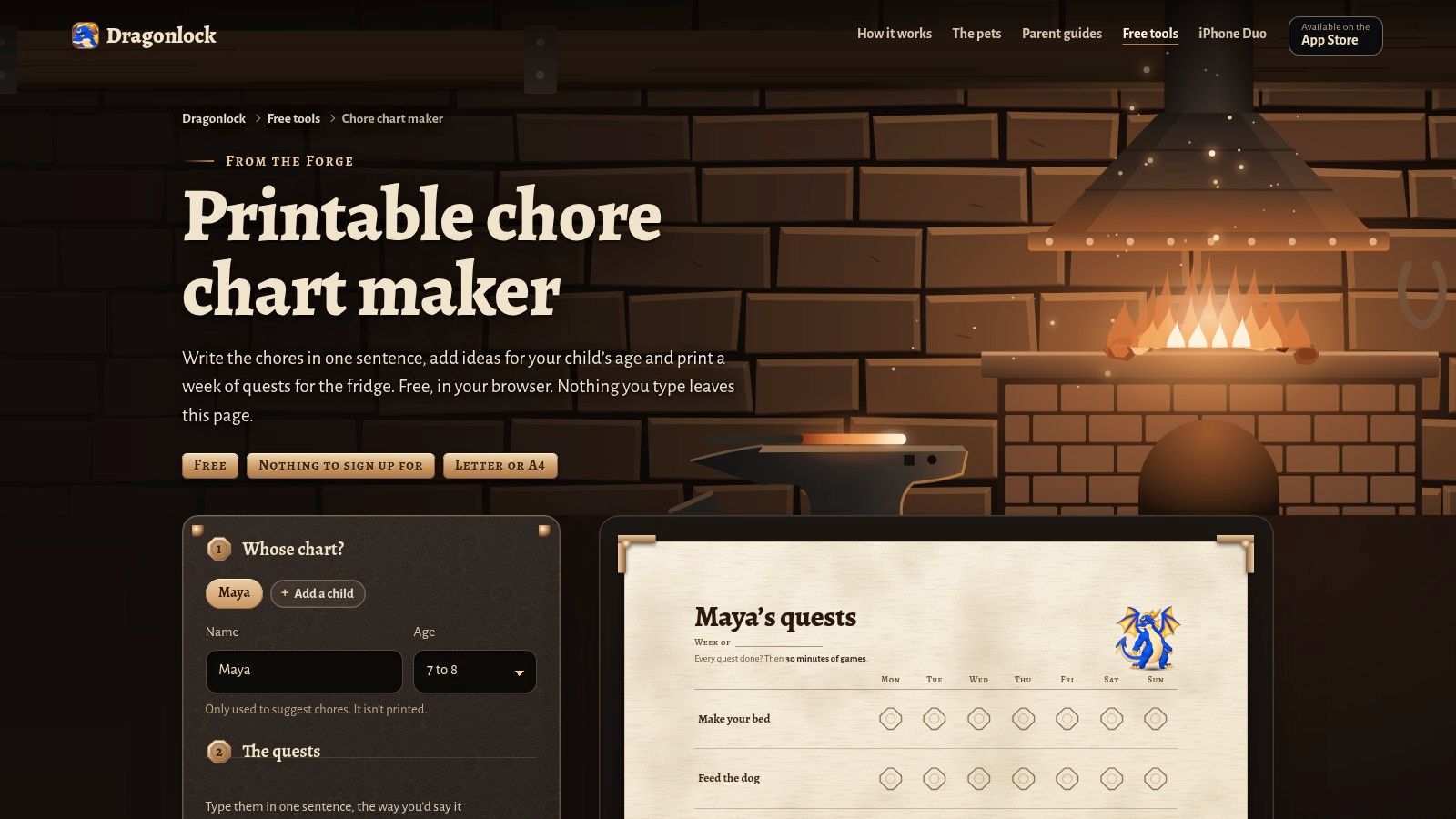
Dragonlock pairs a free printable generator with a separate family app that manages children's screen time. You add up to four children, set chores, days, and rewards, name a guardian, then print on US Letter or A4. Chart settings can be shared through a link.
The screen-time angle is the distinctive part and also the caveat. The chart maker and the app are different products. The chart maker makes paper. The app handles app access and screen time. If you tell a child the chart grants tablet access, you're promising something the printed page doesn't do by itself.
Pros
- Multiple siblings handled in one chart session.
- No account needed for the chart maker, per the site.
- Link sharing of chart settings with another adult.
Cons
- Screen-time framing doesn't travel to roommates or adult households.
- Two separate tools to set up and keep running.
- Paper stays paper: no ongoing shared schedule.
For families where the incentive is game time, that link is enough. For everyone else, this is a printable chart and nothing more.
Visit Dragonlock Chore Chart Maker.
10. Organized Mom Collective Picture Chore Chart
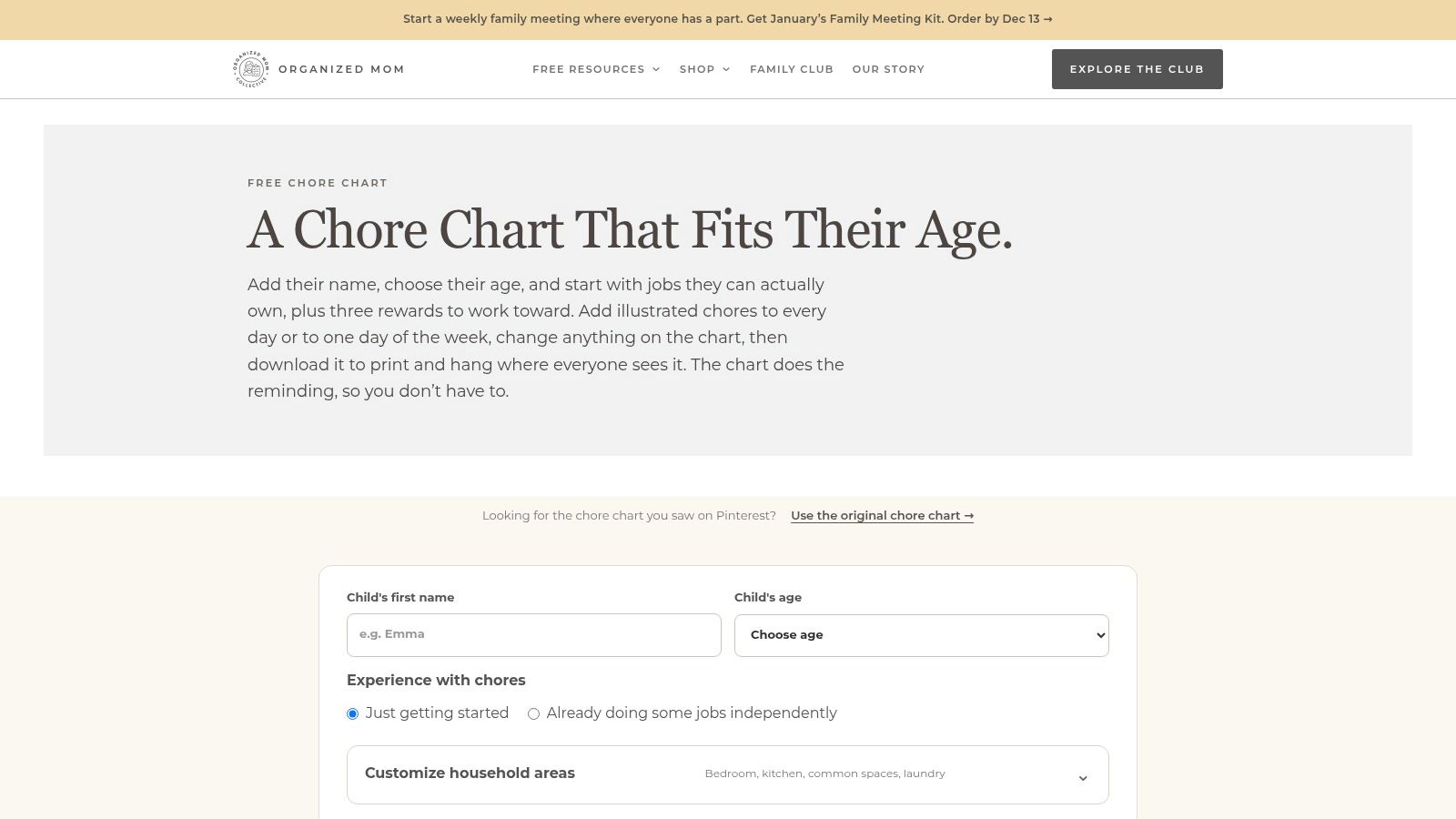
The Organized Mom Collective's picture chart is for children who can't read the chores yet. You pick illustrated chores, mark each as daily or weekly, add custom tasks, type a name, and download the chart to print. A matching picture routine chart covers mornings and bedtimes.
Daily and weekly aren't the same job
Separating daily from weekly work is the most underrated control on any chart. Research summarized by the British Psychological Society distinguishes routine daily cleaning and scheduling from episodic maintenance tasks, and finds that one person tends to carry the daily, time-sensitive half. A chart that lays both on the same grid hides that difference. Split them and the relentless work becomes visible.
Pros
- Pictures for pre-readers, which most grids ignore.
- Daily and weekly separation on a single sheet.
- Customizable in the browser before download.
Cons
- Limited adult use, no workload balancing.
- Not interactive: a visual aid, not a tracker.
- Unclear limits on chore count and export formats.
Visit Organized Mom Collective Picture Chore Chart.
How These Chore Chart Generators Differ
The difference shows up the week after the chart is made. Nine of these generators produce a file you print, so every change means editing the page and printing again. Benny keeps the chart inside the app, where recurring chores return to the schedule on their own and reminders go out when a job is due.
| Item | Best for | Account required | Output | Live reminders | Sharing |
|---|---|---|---|---|---|
| Benny | Shared homes and recurring chores | Yes | In-app lists, schedules, and timers | Yes | Shared assignments across devices |
| Chore Chart Maker | Families, roommates, and classrooms | No | Printable PDF or PNG | No | Household chart layouts; no live sharing |
| Chore Chart Builder | Weekly family charts with rewards | No | Printable chart or PDF | No | Assignments shown on one chart |
| Kids Chores Chart | Personalized visual charts for children | No | A4 PDF or PNG; print | No | Printable chart; no live sharing |
| ChoreChart | Children's charts with varied layouts and rewards | No for printable customization | Printable US Letter charts | No | Printable chart; digital tracking is limited |
| ChoreChartLab | Customizable, print-ready charts | No | Print or save as PDF | No | No shared task completion |
| Pocket Piggy Chore Chart Maker | Simple weekly or monthly children's charts | No | Printable chart | No | No live syncing |
| PaperByMe Chore Chart | Detailed print layouts and flexible exports | No | PDF, SVG, or PNG; print | No | Family-member columns on a static chart |
| Dragonlock Chore Chart Maker | Printable charts for families with multiple children | No for chart maker | Printable chart or PDF | No | Chart settings can be shared by link |
| Organized Mom Collective Picture Chore Chart | Visual charts for younger children | No | Downloadable chart to print | No | Printable visual aid; no live sharing |
Read the columns as a trade-off. Every "No" under "Account required" is a one-visit tool: build, download, done, with nothing saved or synced between visits. Benny needs an account because the shared home depends on it, since each member sees the same list, the person assigned to each chore, and what is already finished. Its timers also tie reward to pace: a chore earns Sponge Points only when it is completed before the timer runs out. Dragonlock sits between the two groups, because its share link passes chart settings to another person while the end result is still a printed page.
Pick a Chart You Will Keep Using
Three paths, and the right one depends on who has to act on the chart.
If the chart goes on the fridge
Choose a printable generator. Chore Chart Maker for a mixed household of roommates and kids, PaperByMe if you want to control the page, Pocket Piggy if you want it finished in two minutes. Print one week rather than a month, and keep a pencil hanging next to it. Paper works when it's easy to correct mid-week, and it fails when correcting it means reprinting.
If the chart is for a child
Choose a reward or picture chart. Chore Chart Builder for points and reward fields, Kids Chores Chart for a personalized design, ChoreChart for layout and reward variety, Organized Mom Collective for pre-readers, Dragonlock if screen time is your incentive. Pick one reward the child wants and write it on the chart. Points with no payoff fade inside a fortnight, and no amount of themes fixes that.
If the chart has to stay current
Choose a live shared schedule. Benny keeps one list across iPhone and Android, with chores grouped by room, timers on each job, recurring chores that return on their own, reminders when something is due, and shared assignments so everyone sees who has what and what's still waiting. The schedule, reminders, timers, and shared-home assignments are in the free app. Premium is optional and adds widgets, filters, holiday and sick modes, mood-based suggestions, multiple homes, and streak-protected snoozing.
The check that decides it
Write down what done means for the three chores that cause the most friction. "Bathroom done" isn't a finish line. "Counters wiped, toilet scrubbed, floor swept, towels replaced" is. Assign each chore to one named person rather than to everyone, because a shared task is an unowned task. Then leave the chart alone for three weeks and review it.
If the same name keeps appearing in the unfinished column, the chart isn't the problem. The assignment is. Adjust the ownership and the effort split, not the font.
Benny gives every household member the same chore list, grouped by room, with timers, recurring schedules and reminders, so a plan survives past week two instead of living on the fridge as a reproach. Shared-home assignments and completion status are visible to everyone, and the free app covers the scheduling, reminding and dividing that this list keeps returning to. Set up your first rooms and chores at Benny and see whether a live chart beats another reprint.